QR ordering for restaurants and cafés

Scan, order, serve
— in one app.

Guests scan the table QR and order from their phone. The order reaches the kitchen at once — less running around, more tables served, and far less paper: fewer printed menus, order slips and receipts.

Free setup — we enter your menu, design your table QR codes and train your team.

  • No app to install
  • 0% commission
  • Paperless-ready

Already using ShinQR? Log in →

SCAN ME
SCAN ME
Kitchen Display (KDS)
New order!
Guest
📱Tap to scan
Ready to serve
In use today

Restaurants already running on ShinQR

Shops that use ShinQR and agreed to be named here. A shop is listed only once it is live and the owner has said yes.

ရသာမွန်
MyanmarLive
ဇလပ်နီ
MyanmarLive
Want to be next? Get free setup →
Why ShinQR

Save time. Earn more. Use less paper.

Three reasons restaurants switch to ordering from the phone.

Save time
Orders go straight from the table to the kitchen and the cashier. No writing down, no re-typing, no walking back and forth — your team spends its time on guests.
Earn more
Guests can order again whenever they like, without waiting to catch someone's eye. Easier ordering helps sales grow, and the same team can look after more tables.
Use less paper
Fewer printed menus to reprint, fewer paper order slips, and receipts saved on the phone as an image. Less paper means fewer trees cut down, and every table you serve takes part.
Every paperless order is a small step against deforestation. Be one of the restaurants that take it.
How it works

From table to kitchen in seconds

One workflow. Three connected screens. Zero friction for your staff.

01
Guest scans the QR
Guests scan the table QR with their phone — no download. The menu opens instantly in their browser.
SCAN ME
02
The order goes straight in
The order reaches the cashier and the kitchen screen the moment a guest taps order. No re-typing.
MarLar ×1●
Avocado juice ×2●
Coffee ×1●
03
Kitchen serves, guest pays
The kitchen marks dishes ready as they go out. The guest asks for the bill on their phone and pays at the till.
Try it

Order as a guest would

Scan the QR with your phone, or open the demo in this browser. It uses a sample menu — no order is sent anywhere.

Table QR
Sample Café & Bistro
Table 01
Table QR
Scan with your phone camera
Open the demo →

Opens in the browser

No app and no sign-up — the same page your guests get.

Options and toppings

Pick sizes, spice levels and toppings, then add a note for the kitchen.

Order status

Send a sample order and watch it move from cooking to ready.

On a computer? Scan the QR with your phone to see exactly what your guests will see.

What you get

More than ordering

Run your menu and read your numbers in the same app.

Change the menu in a tap
Out of a dish? Mark it sold out and every table sees it straight away. No reprinting, no crossing out.
Know what makes money
Bestsellers, busy hours, table usage, average bill — see what earns, and decide with real numbers.
0% commission
No per-order fees and no markups. One flat monthly subscription, so every extra order is yours.
One app, three screens

Designed for everyone in the room

Each role gets a screen tuned to what they need — and nothing they don't.

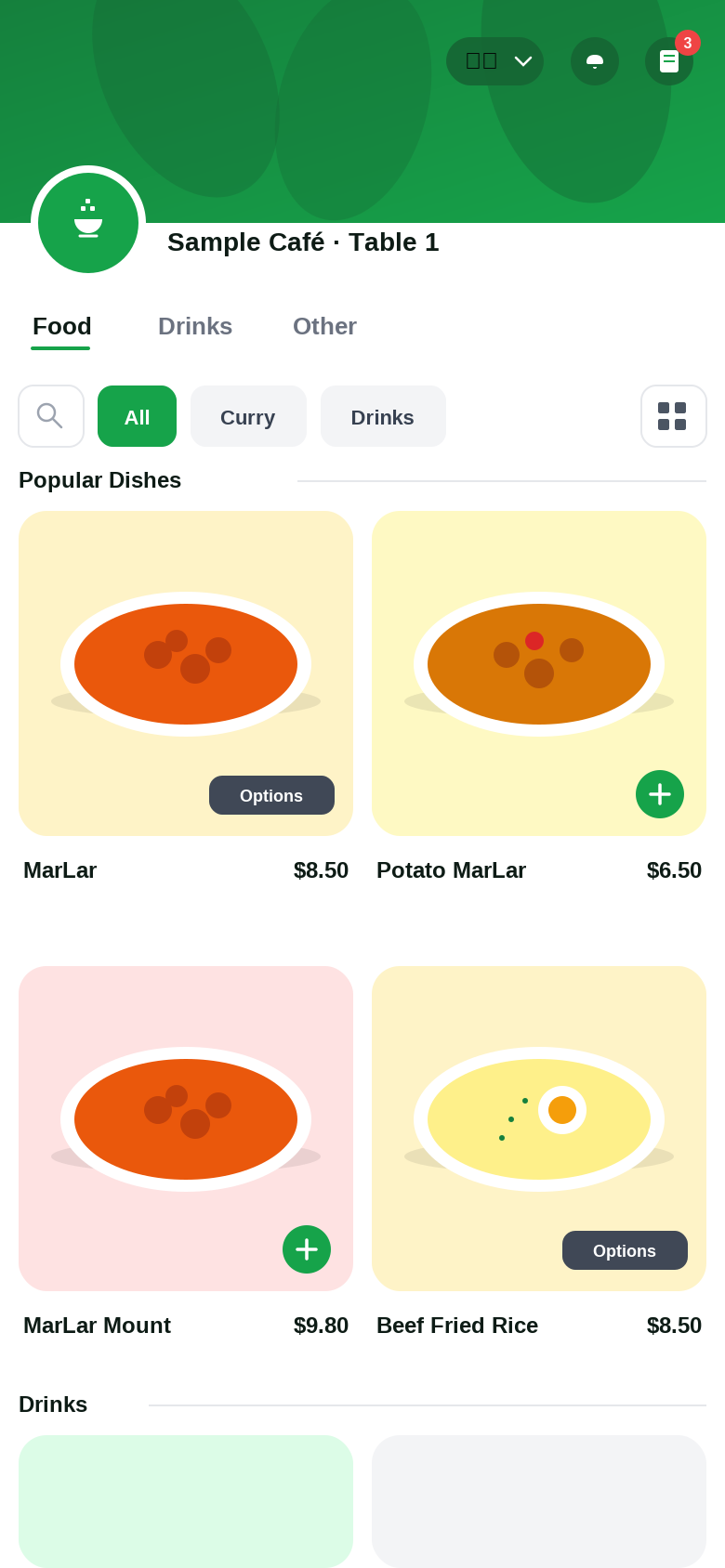
A menu that feels like an app — without being one.

Guests scan the table QR and land in a clean ordering page with photos, descriptions and options. They can order again as often as they like, ask for the bill from their phone and save the receipt as an image.

  • Opens in the browser — no install
  • Guest pages in seven languages
  • Options and toppings per dish
  • Receipt saved to the phone as an image
Guest

A Restaurant POS your staff can learn in five minutes.

See every table at a glance, add or edit orders, split the bill, apply discounts and close the day with a report.
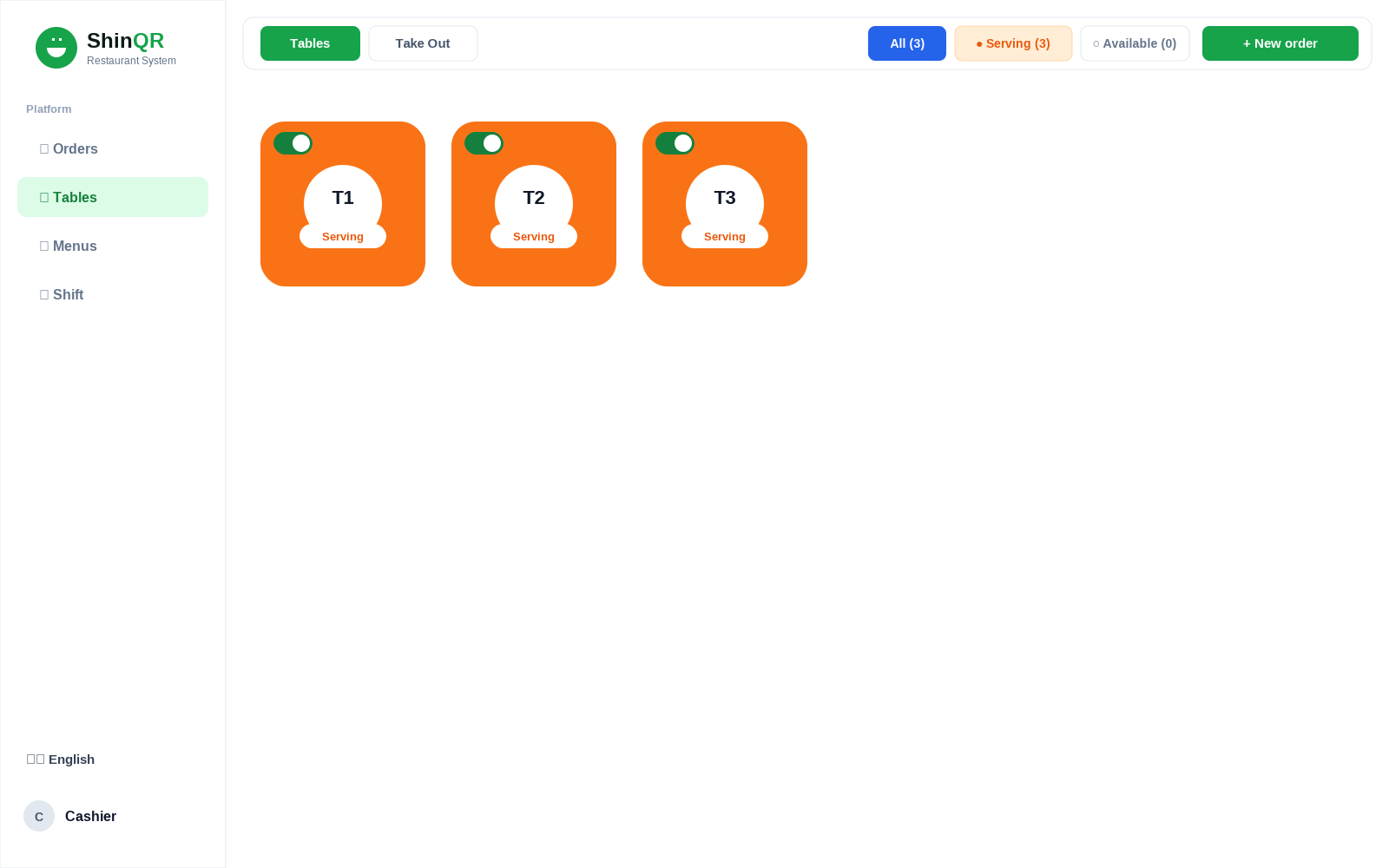
  • Floor view with live table status
  • Split payments and discounts
  • Cash and card
  • Shift and end-of-day reports
Cashier POS

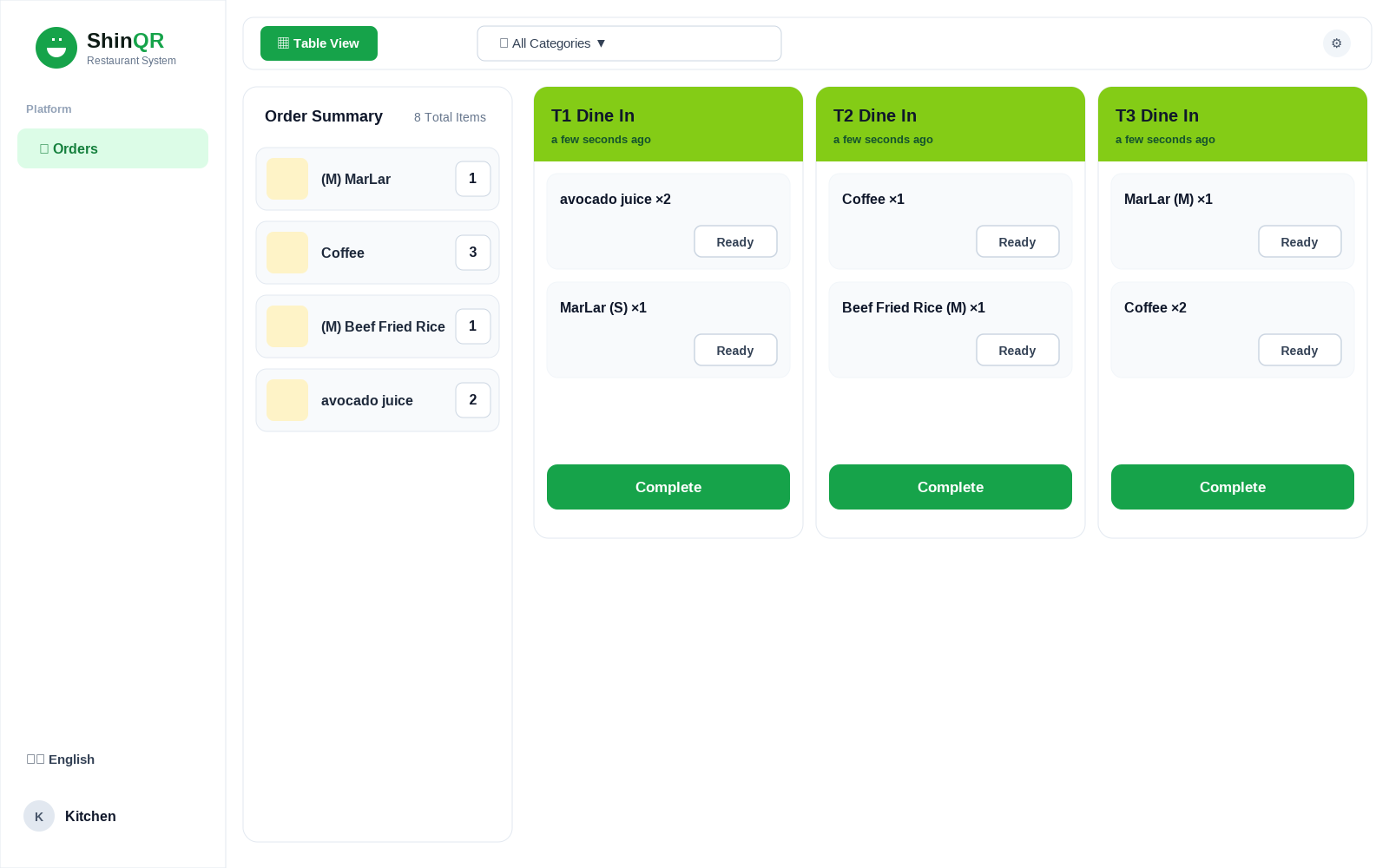
A Kitchen Display System (KDS) that cuts down paper tickets.

Tickets arrive by table as soon as guests order. Mark dishes ready, complete the table, and cut down on paper and shouting.

  • Orders grouped by table
  • Dish photos on the board
  • Notes and options visible
  • The cashier is alerted when dishes are ready
Kitchen Display (KDS)
Common questions

Everything you wanted to ask

Can't find the answer? Contact us and we will help.

No. ShinQR opens in the phone's browser as soon as a guest scans the table QR. No install, no sign-up.
Yes. Menus are on the guest's phone, orders go straight to the kitchen display (KDS), and receipts can be saved as images to cut down printed paper. If you still need paper, you can print anytime from the cashier POS or connected thermal printers.
A flat monthly subscription with no per-order commission. Contact us and we will recommend the plan that fits your restaurant.
Yes. Print from the cashier's browser, or connect thermal printers on your shop network through a small helper on a shop computer.
The app works in English, 日本語, မြန်မာ, 中文, Tiếng Việt, 한국어 and ไทย. Guests see your menu in the languages you add.
Contact us. We help you set up the menu, print the table QR codes and train your team.
Payments taken at the cashier are queued and sent when the connection is back. Guests need a connection to order.
Ready when you are

Start with a free setup.

Tell us about your restaurant and we will help you set up the menu, the QR codes and your team.

  • Free complete menu setup and catalog entry
  • Free custom table QR code design & layout
  • Free on-site staff training and onboarding
⚡We will get back to you within 1 hour during business hours
🤝We handle your complete menu entry and launch your account for free — zero setup friction on your end.

Already using ShinQR? Log in →

SCAN ME